
 Spot HR
Best Personio Alternative for Small Businesses: What to Compare Before You Switch
Posted May 21, 2026 by Spot HR ‐ 5 min read
If Personio feels bigger than your business needs, compare tools on the stuff that matters: leave management, onboarding, expense claims, setup time, and how much admin they create.
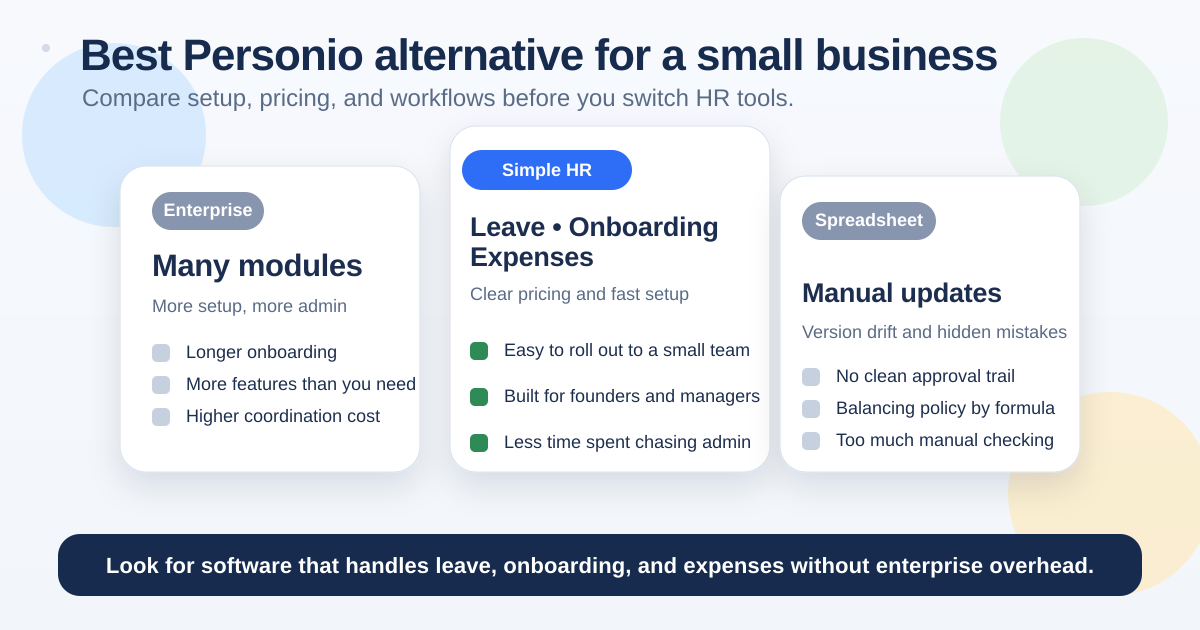
Why small teams start looking for a Personio alternative
Personio is a solid platform, but small businesses usually do not need a heavy HR suite on day one.
Founders, owners, and managers typically want a different mix:
- simple leave approvals
- clear balances and public holidays
- onboarding tasks that are easy to assign
- expense claims that do not live in email
- pricing they can explain without a spreadsheet
- setup that does not require a long implementation project
If that is the real use case, the right question is not “Which HR platform has the most features?” It is “Which tool helps us run HR with the least admin?”
What to compare before you switch
If you are evaluating a Personio alternative for a small business, compare the tools on practical workflows first.
1. Setup time
How long does it take to get the first workflow live?
Small teams rarely have a month to spend on implementation. If you need leave requests, onboarding tasks, or expense approvals working quickly, choose software that is easy to configure from day one.
A good startup HR tool should let you get started without hiring a consultant.
See how Spot HR approaches this in our startup HR software overview.
2. Core workflows, not feature count
A long feature list is not automatically useful.
For most small businesses, the core workflows are:
If a platform is strong in those three areas, it will solve more day-to-day problems than a bigger system that looks impressive but is hard to use.
3. Clear pricing
Small businesses need pricing they can understand quickly.
That does not just mean “cheap.” It means:
- easy to predict as the team grows
- no hidden implementation surprise
- no long sales cycle just to see the numbers
- a plan that matches your team size
If you have to schedule a call before you can understand the cost, the tool may already be too heavy for your stage.
4. Ownership and approvals
HR tools should make ownership obvious.
For a small team, that usually means:
- one manager approval path for leave
- clear task owners for onboarding
- shared visibility into expense approvals
- a simple audit trail for every decision
If approvals are buried in inboxes or private chats, the admin usually ends up back on the founder or office manager.
5. Day-to-day visibility
Can your team see what is going on without asking HR?
The best small business HR software makes it easy to answer basic questions:
- Who is off this week?
- How much leave is left?
- What onboarding tasks are still open?
- Has that expense claim been approved?
That kind of visibility saves time every single week.
When Personio may be more than you need
You may want a simpler alternative if:
- you are still under 50 employees
- you do not have a dedicated HR team
- your biggest pain points are leave, onboarding, and expenses
- you want software that is easy for managers to use
- you do not need a broader enterprise HR stack
That is where simpler tools usually win. They do fewer things, but they do the important things well.
Why spreadsheets are usually the wrong fallback
A lot of small businesses compare Personio against spreadsheets because that is what they already know.
That works for a while, but spreadsheets have obvious limits:
- no reliable approval trail
- manual balance tracking
- version confusion
- hidden formula errors
- poor visibility across the team
If you are still using spreadsheets for leave or onboarding, compare the process against our spreadsheet replacement guide. It shows where manual tracking usually breaks first.
A better fit for small business HR
If you want a simpler alternative to a large HR suite, look for software built around operational workflows instead of enterprise structure.
That usually means:
- leave management with approvals, balances, and public holidays
- onboarding tasks with ownership and required documents
- expense claims with receipts, approvals, and shared claim pages
- a setup process that works for founders and managers, not just HR specialists
That is the direction Spot HR takes.
Start with leave management for small teams if your biggest pain point is approvals and balances.
How Spot HR compares for small teams
Spot HR is built for the parts of HR small businesses use most often.
Instead of a broad enterprise suite, it focuses on the operational workflows that create admin when they are messy:
That makes it a better fit if you want a cleaner setup, less internal training, and fewer moving parts.
If you are also comparing broader HR tools, our BambooHR comparison is worth a look.
Migration checklist: what to move first
If you do switch, do not migrate everything at once.
Start with the data and workflows that affect the team most:
- export employee records
- map leave types and balances
- import public holiday calendars
- move onboarding tasks and required documents
- set up approval owners
- test one request end to end
- confirm managers know where to approve
That approach keeps the switch simple and reduces disruption.
The decision rule for small businesses
A good rule is this: choose the tool that makes your daily HR tasks easier without adding new admin.
If Personio gives you more than you need, a simpler platform may be the better choice.
If your team mainly needs clear leave tracking, onboarding tasks, and expense approvals, you probably want software that is built for those exact jobs.
Final takeaway
The best Personio alternative for a small business is not the one with the biggest feature list.
It is the one that gets your team working faster, keeps approvals visible, and avoids unnecessary admin for founders and managers.
If that is what you need, see Spot HR pricing and see how a simpler HR workflow can fit your team.