
 Spot HR
Employee Records Management for Small Businesses: What to Keep, Where to Store It, and How to Stay Organised
Posted June 17, 2026 by Spot HR ‐ 10 min read
Employee records should be easy to find, safe to manage, and useful when managers need accurate staff information. For small businesses, the goal is not bureaucracy. It is avoiding lost documents, duplicate spreadsheets, and last-minute HR admin.
Employee records are simple until they are not
Most small businesses do not set out to build a messy HR admin process.
It usually happens gradually. One employment contract lives in an email thread. A copy of an ID document is in a shared drive. Emergency contact details are in a spreadsheet. Working hours are in another file. Leave settings are stored somewhere else because somebody needed to calculate balances quickly.
That can work for a very small team. But as soon as you hire regularly, add managers, or need to answer staff questions quickly, scattered records become expensive.
Employee records management is the habit of keeping the right staff information in the right place, with enough structure that people can find what they need without asking around. It does not need to be complex. For a small business, it should be practical, secure, and repeatable.
If you are already moving other HR workflows out of spreadsheets, staff records are a natural next step. A tool built for startup HR software should help you keep employee profiles, onboarding documents, leave settings, and day-to-day HR context together instead of spreading them across inboxes.
What counts as an employee record?
An employee record is any information your business keeps about someone who works for you.
That can include formal documents, operational details, and HR settings. The exact requirements depend on your country, contracts, policies, and legal advice, but most small businesses need a clear place for these categories.
Core profile information
Start with the basic details managers and admins need to identify and contact the employee:
- full name
- work email and personal email, where appropriate
- phone number
- job title or role
- department, group, or team
- manager
- start date
- employment status
- emergency contact details
This information sounds obvious, but it is often duplicated. One version may exist in payroll, another in a spreadsheet, and another in the employee’s onboarding form. When those versions drift apart, basic admin becomes slower than it should be.
Employment and onboarding documents
Small businesses should also keep track of the documents that support the employment relationship and onboarding process.
Examples include:
- signed contract or offer letter
- identity or right-to-work evidence where required
- signed policy acknowledgements
- role-specific certificates
- onboarding checklist items
- required documents for new hires
The important point is visibility. Someone should be able to see what has been collected, what is missing, and who needs to follow up. If onboarding documents only live in email attachments, the process depends too much on memory.
Spot HR’s onboarding feature helps small teams track onboarding tasks and required documents so a new hire’s paperwork does not disappear into separate inboxes.
Working patterns and leave settings
Employee records are not only documents. They also include HR configuration that affects daily operations.
For example:
- working hours per week or per day
- custom working patterns
- leave allowances
- custom leave types
- manager approval relationships
- public holiday settings that affect leave planning
These details matter because they affect leave balances, approvals, and staffing visibility. If the employee’s working hours are stored in one place and leave is calculated somewhere else, mistakes are much easier to make.
A connected leave management workflow keeps leave requests, balances, working hours, leave types, and public holidays closer to the staff record so managers are not manually reconciling data.
Staff files and supporting documents
Finally, many businesses need a place for employee files that do not fit neatly into a checklist.
That might include:
- performance notes or review documents
- training records
- role-change letters
- policy documents relevant to the employee
- uploaded files supplied by the employee or manager
- documents that need to be retained for internal reference
The system does not need to be fancy. It does need to be consistent. A shared drive with unclear folders, vague filenames, and mixed permissions is not a reliable employee file management process.
Why spreadsheets and shared drives start to fail
Spreadsheets and shared folders are common starting points because they are available immediately. The problem is not that they are useless. The problem is that they were not designed to manage a growing staff record.
Common problems include:
- several people editing different versions of the same staff list
- documents stored without a clear naming convention
- managers asking operations for basic employee details
- onboarding files separated from the employee profile
- leave settings updated in one place but not another
- no easy way to see whether required documents are missing
- too many people having access to sensitive files
- old records remaining in folders long after they are needed
The more people you hire, the more these problems show up. They also become harder to fix later because nobody wants to clean up years of inconsistent files.
A better approach is to define a simple structure early, then use software where the structure matters most.
A practical employee records structure for small businesses
You do not need a huge HR information architecture. You need a structure your team can actually maintain.
Here is a simple model.
1. Keep one staff profile per employee
Each employee should have one primary profile that contains the current, reliable version of their core information.
That profile should answer basic questions quickly:
- who is this person?
- what team are they in?
- who manages them?
- when did they start?
- what contact and emergency details are on file?
- what working pattern and leave settings apply?
If managers need this information, they should not have to search a spreadsheet, an email thread, and a payroll export.
2. Separate live HR settings from static files
Some information changes often. Some documents are mostly stored for reference.
Live HR settings include working hours, leave allowances, manager relationships, team membership, and feature access. These should be editable in the HR system because they affect workflows.
Static files include signed documents, uploaded evidence, policy acknowledgements, and historical records. These should be attached to the employee record with clear names and sensible access control.
Keeping those two categories separate makes the record easier to maintain.
3. Track onboarding items before they become missing files
Onboarding is where many records problems begin.
If a contract, ID document, policy acknowledgement, or role-specific document is required, it should be visible as part of the onboarding process. Waiting until later to check whether documents were collected creates unnecessary follow-up work.
A useful onboarding record should show:
- which tasks are complete
- which documents are required
- which items are still missing
- who owns the next step
- whether the new hire is ready for day one
This keeps onboarding practical and avoids turning employee files into a cleanup task.
For a broader checklist, see our guide on how to onboard a new employee in a small business.
4. Make manager visibility deliberate
Managers often need access to staff information, but they do not need access to everything.
A good employee records process should distinguish between:
- information a manager needs to run the team
- information only administrators should manage
- documents that should be restricted
- employee-owned details that should be visible to the employee
This matters in small businesses because access habits are often informal. It may feel easy to add everyone to a shared folder, but that creates risk as the team grows.
Spot HR supports role-based access for administrative screens and manager views, including staff records, leave balances, org chart visibility, and approvals. That helps keep everyday visibility useful without treating every user as an HR administrator.
5. Decide what happens when someone leaves
Employee records management should include leavers, not only new hires.
Before someone exits, decide how you will handle:
- final profile updates
- outstanding leave or expense items
- documents that must be retained
- access to company apps
- handover notes or manager-owned tasks
- whether the employee should remain searchable internally
This does not need to be a complicated offboarding programme. It just needs to avoid leaving old records and access paths in an unclear state.
Employee records checklist
Use this checklist to review whether your current setup is strong enough.
Profile data
- Every employee has one current profile
- Manager, team, and role information are up to date
- Emergency contact details are stored consistently
- Working hours are recorded where leave and scheduling decisions happen
- Admins know who can edit staff information
Documents and files
- Signed contracts and key documents are attached or traceable
- Required onboarding documents are tracked before day one
- Employee files use clear names and categories
- Sensitive files are not stored in open shared folders
- Old files are reviewed instead of kept forever by accident
Leave and HR settings
- Leave allowances are configured per employee where needed
- Custom leave types are clear and consistent
- Public holidays are managed centrally
- Managers can see relevant leave balances and who is off
- Changes to working hours do not require manual spreadsheet updates
Manager workflows
- Managers know where to find staff information they are allowed to see
- Leave approvals and expense approvals are not handled only in chat
- New hires have assigned onboarding tasks
- Staff changes do not depend on one person’s memory
If several of these items are hard to answer, your records process is probably doing too much work manually.
When to move beyond spreadsheets
You do not need to buy software for a team of two on day one. But there are clear signs that spreadsheets and folders are no longer enough.
Consider moving to a dedicated HR system when:
- you hire often enough that onboarding repeats every month or quarter
- managers need access to staff information without asking operations
- leave balances are being calculated manually
- documents are spread across email, drives, and local machines
- expense claims, leave requests, and staff records are disconnected
- you need better visibility into who is off, what is pending, and what is missing
- you want a self-serve signup path rather than a long implementation project
The best time to improve employee records management is before the mess becomes normal. Once people accept scattered files as “just how we do HR,” cleanup becomes harder.
How Spot HR helps small teams keep records organised
Spot HR is designed for small businesses, startups, and scaleups that want practical HR workflows without enterprise complexity.
For employee records management, that means connecting the record to the work around it:
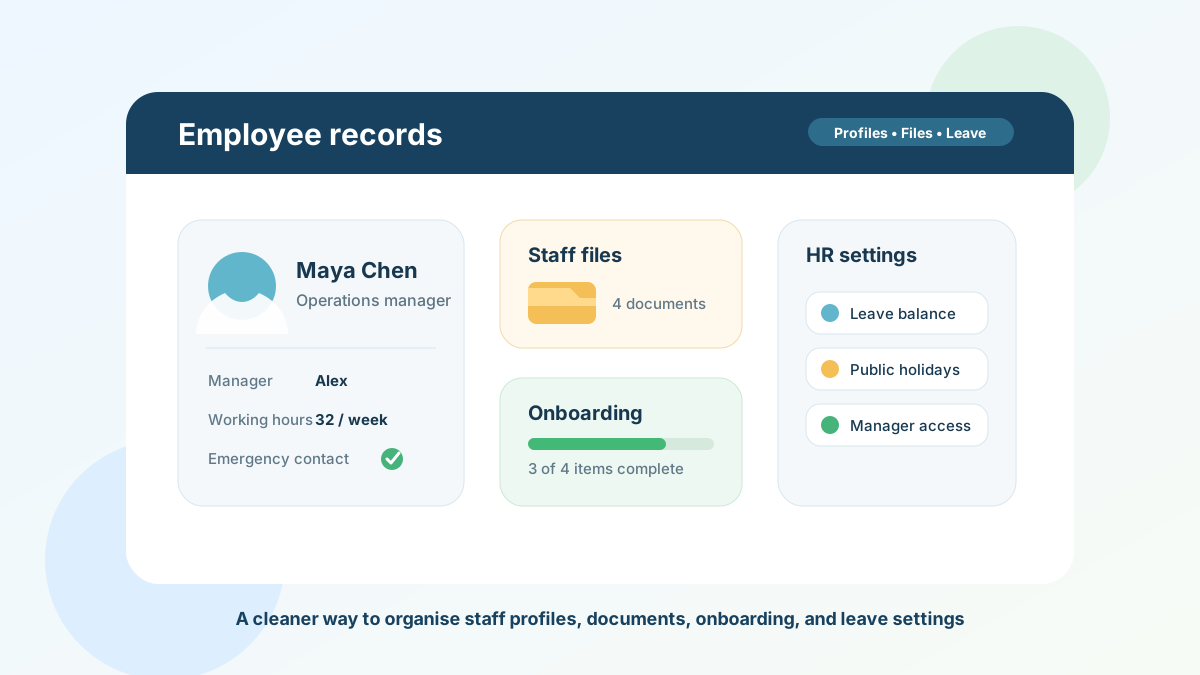
- staff profiles with personal details, contact information, emergency contacts, and avatars
- user management for creating, editing, importing, searching, and verifying employees
- per-user file uploads and downloads for employee documents
- onboarding status tracking with tasks and required documents
- leave configuration per employee, including custom leave type settings and working hours
- manager and admin views for staff, leave balances, leave analytics, and org chart visibility
- feature toggles for Leave, Expenses, and Apps so organisations can keep workflows focused
- optional Google Workspace or Microsoft Entra sign-in policies for workspaces that want stricter authentication
That combination keeps records useful. The employee profile is not just a static folder. It connects to onboarding, leave management, manager visibility, files, and the wider HR workflow.
If your current records process is still a spreadsheet plus a shared drive, compare that setup with Spot HR’s features hub, leave management, onboarding, and expense claims.
Final takeaway
Employee records management does not need to be heavy. For a small business, it should answer a simple question: can the right person find the right staff information when they need it?
If the answer depends on searching inboxes, asking one operations person, or opening several spreadsheets, the process is already costing time.
Start by defining one staff profile per employee, tracking onboarding documents early, keeping live HR settings out of static files, and making manager access deliberate. Then move the workflows that cause the most friction into software that keeps them connected.
If you want to replace scattered staff records with a cleaner small-business HR workflow, explore Spot HR for startups and scaleups, review the Spot HR pricing, or sign up for Spot HR.