
 Spot HR
HR Software Free Trial for Small Businesses: A Practical Evaluation Checklist
Posted August 5, 2026 by Spot HR ‐ 10 min read
A free trial should help a small business answer one useful question: will this HR software make everyday work clearer? The best way to find out is not to click through every menu. It is to test the real staff, leave, onboarding, and approval tasks that currently take too much time.
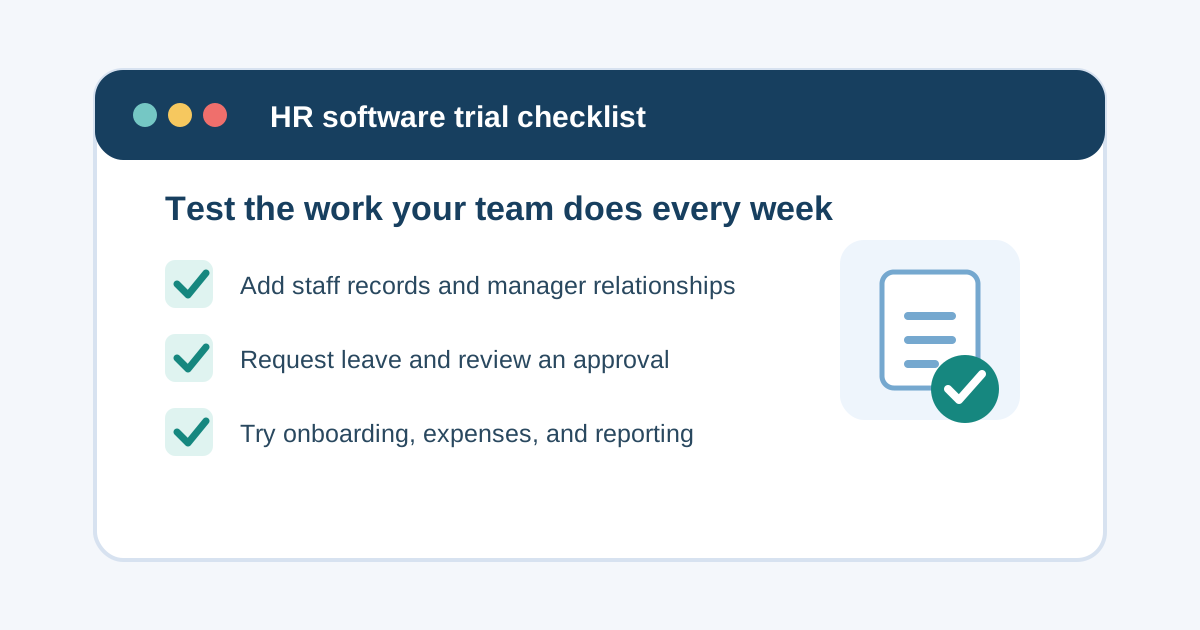
A free trial should test work, not just screens
Choosing HR software can feel like a bigger decision than it needs to be. A small business may be moving from a spreadsheet, a shared inbox, and a few calendar reminders. It may have tried a tool that was too complicated, or worry that any new system will simply add another place to update.
A free trial is useful because it can replace assumptions with a small, practical test. But only if the team tests the right things.
It is easy to spend a trial clicking through dashboards, comparing feature lists, and deciding whether the interface looks polished. Those details matter, but they do not show whether the system will help when a new employee starts, a manager needs to approve leave, or finance needs a receipt. The useful question is: can the people who do the work complete a normal task without creating more follow-up?
For a small business, the best HR software free trial is not a product tour. It is a short simulation of the everyday HR process.
What should a small business evaluate during an HR software trial?
Start with the recurring work that is currently spread across files, messages, and memory. Most small teams do not need to test every possible HR feature on day one. They need confidence in a few essential workflows:
- adding and maintaining employee records
- recording manager relationships and team structure
- requesting, approving, and tracking leave
- handling public holidays and working patterns
- onboarding a new starter
- submitting and reviewing an expense claim
- finding the information a manager or administrator needs
- checking whether permissions and sign-in fit the business
A trial is successful when the team can see a clearer path through those tasks. It does not need to recreate every historical record before it can be useful.
Before the trial: choose one process owner and a small test group
A common trial mistake is giving everyone access without deciding what is being tested. The result is scattered feedback: one person likes the design, another cannot find a setting, and nobody has tested a complete workflow.
Choose one person to coordinate the trial. In a small business, that may be an operations lead, founder, office manager, HR generalist, or administrator. Their role is not to make the decision alone. It is to keep the test focused.
Then involve a small group that reflects real work:
- an administrator who maintains staff information
- a manager who approves leave or expenses
- an employee who will request leave or submit a claim
- someone responsible for onboarding a new starter, if that is a current pain point
Use test data where possible. A handful of representative employee records is usually enough: a full-time employee, a part-time employee, a manager, and a new starter. This gives the team meaningful situations to test without turning the trial into a data migration project.
The HR software free trial checklist
1. Add employee records the way your business actually needs them
Employee data is the foundation for almost every HR workflow. During the trial, add a few realistic staff profiles and check whether the information is easy to find and maintain.
Test whether you can record the details your team relies on, such as contact information, role, team, manager, working hours, leave settings, onboarding progress, and relevant files. If any of these are currently maintained in separate places, note whether the system reduces that duplication or simply moves it.
Ask:
- Can an administrator create and update a staff record without a long manual workaround?
- Can the team search for an employee when a manager needs information quickly?
- Are manager relationships clear and kept close to the employee record?
- Does the system support the working patterns that matter for your team?
- Can appropriate people access staff files without exposing them to everyone?
A reliable record is more valuable than a large collection of fields. Our guide to employee records management for small businesses explains what a practical source of truth should achieve.
2. Run a leave request from start to finish
Leave is one of the best workflows to test because it involves employees, managers, balances, and team planning.
Ask an employee test user to submit a leave request with a date range, leave type, and reason. Then ask a manager or administrator to review it. Check what the employee can see after approval, rejection, an edit, or a cancellation.
This reveals much more than whether the request form works. It shows whether ownership is clear, whether the manager can act promptly, and whether employees can understand their remaining leave without sending a message to operations.
Include a realistic edge case. For example:
- a request that crosses a public holiday
- an employee with a part-time schedule
- a sick leave record that should be tracked separately
- a request that needs changing after it is submitted
- two team members who want the same busy week off
The goal is not to find a perfect process in 30 minutes. It is to see whether the system supports the decisions your team already has to make. For a fuller view of the workflow, see Spot HR’s leave management feature and our guide to managing employee leave without spreadsheets.
3. Check public holidays and working hours before judging leave balances
Leave balances become confusing when they are disconnected from how people actually work. If your team includes part-time staff, different weekly schedules, or employees in more than one country, test those conditions deliberately.
Review whether the trial environment lets you configure working hours and holiday information in a clear way. A manager should not have to cross-check a separate calendar every time they review a request. Employees should not be left guessing whether a public holiday affects their allowance.
This matters even in a small team. A process that works only when everyone follows the same Monday-to-Friday pattern can become unreliable as the business hires. Read our public holiday management guide for the practical checks to make.
4. Create a short onboarding scenario
Do not evaluate onboarding by reading a feature description. Add a test new starter and follow the steps your business expects before their first week.
Your scenario might include adding the employee, setting their manager, recording their working hours, assigning onboarding items, and checking whether required documents are visible. Then ask the manager whether they can see what needs attention.
A useful onboarding workflow gives people a shared view of progress. It should not require the new starter, manager, and administrator to maintain separate checklists that drift apart.
Keep the scope realistic. You are testing whether the system helps the team coordinate, not trying to build a complete onboarding programme during a trial. The Spot HR onboarding feature is designed around onboarding status, checklist progress, and required-document tracking connected to the employee record.
5. Submit and review an expense claim
If employees claim expenses, add this to the trial. Expense handling often looks straightforward until receipts, travel, draft claims, and approval responsibility are involved.
Ask an employee test user to create a draft expense claim with a few line items and a receipt. If travel reimbursement matters, include a kilometre-based item. Then submit the claim and have the relevant manager review it.
Look for answers to practical questions:
- Can employees save a claim before it is ready to submit?
- Are receipt attachments easy to add and review?
- Can a manager see the details they need before deciding?
- Is the claim status understandable to the employee?
- Can a submitted claim be withdrawn when circumstances change?
A clear expense workflow reduces the back-and-forth that happens when claims arrive through email with missing receipts or unclear ownership. Explore Spot HR’s expense claims feature for the workflow to test.
6. Test manager visibility, not only administrator controls
Many HR software trials are led by an administrator. That is sensible, but managers often decide whether the system works in practice.
Ask a manager to find their team, review a pending leave request, and check the information they would need for planning. If your team structure is growing, see whether reporting lines are visible and easy to understand.
Managers should have enough information to handle their responsibilities, but they should not need unrestricted administrative access to do so. Testing both roles helps the business assess whether access is practical and appropriate.
An operational org chart can help here. It connects reporting lines to real work rather than leaving structure in a slide or spreadsheet. Our guide to org chart software for small businesses covers the warning signs that a manual chart is no longer enough.
7. Confirm sign-in and permissions fit your team
A good HR system is only useful when people can get into it reliably and see the right information once they are there.
During a trial, check the sign-in routes your business uses today. If the company already relies on Google Workspace or Microsoft accounts, consider whether a familiar work identity would reduce password friction. If different employees need different routes, make sure the policy is clear before enforcing anything.
Also test role boundaries. An employee should be able to complete their own tasks. A manager should be able to handle the team responsibilities assigned to them. Administrative settings should stay with authorised people.
For a practical rollout checklist, read SSO for small-business HR software. Authentication is not the whole security plan, but it should support a clear process for starters, managers, and leavers.
How long should an HR software free trial take?
The right length depends on how many workflows the business needs to test, but the work should be planned early. A short, focused trial can be more valuable than a longer period where nobody has time to log in.
Use the first few days to set up representative records and scenarios. Give employees and managers a clear task to complete. Then collect feedback while the steps are still fresh.
Avoid judging the tool only by whether it supports every future possibility. Small businesses benefit from software that handles today’s recurring work clearly and can support the next stage of growth without forcing unnecessary complexity.
What to ask before the trial ends
Gather feedback against the workflow, not against personal preference alone. Ask each tester:
- Which task was easier than the current process?
- Where did you need an explanation or workaround?
- Could you tell what was waiting for you to do?
- Did the right person have the right visibility?
- Would this reduce follow-up messages, spreadsheet updates, or duplicate entries?
- What information would need to be prepared for a real rollout?
Then compare the answers with the effort required to keep the current process running. If a tool centralises staff information, makes approvals easier to follow, and gives employees more clarity, it may already be solving a real problem.
Try Spot HR with real small-business workflows
Spot HR is designed for startups, scaleups, and small businesses that want useful HR workflows without enterprise complexity. A no-card 30-day trial gives a team time to test the work that matters: staff records, manager relationships, onboarding status and required documents, leave requests and balances, public holidays, expense claims, files, org charts, and leave reporting.
Workspaces can use Google or Microsoft sign-in entry points alongside a password flow, and can choose a Google Workspace or Microsoft Entra policy when that fits their access setup. Administrators can also manage feature availability for Leave and Expenses without deleting stored data.
Start with one real workflow, involve the people who use it, and decide based on what happens in practice. Explore the Spot HR features hub, review Spot HR for startups and scaleups, or sign up for Spot HR.
Final takeaway
An HR software free trial should not be a race through a feature list. It should answer whether the system makes ordinary work more dependable for employees, managers, and administrators.
Test staff records, leave, public holidays, onboarding, expenses, manager visibility, and sign-in with realistic scenarios. Keep the group small, use representative data, and gather feedback immediately after each workflow. If the process becomes clearer without creating extra administration, the trial has done its job.