
 Spot HR
Org Chart Software for Small Businesses: When Reporting Lines Stop Fitting in a Spreadsheet
Posted July 15, 2026 by Spot HR ‐ 11 min read
An org chart is easy to ignore when everyone knows each other. But as a small business adds managers, teams, locations, and approval responsibilities, unclear reporting lines start to slow down everyday HR work.
Org charts become important before they look complicated
Most small businesses do not think about org chart software on day one.
In a team of five, everyone knows who does what. In a team of ten, people can usually remember who reports to whom. A quick spreadsheet, a slide, or a diagram in a document may be enough.
The problem appears gradually. A new manager joins. A team splits into two. One employee has a dotted-line responsibility. Someone needs to approve leave while another person handles onboarding. Finance wants to know who should review an expense claim. A new starter needs to understand the team without asking the same questions repeatedly.
At that point, the org chart is no longer just a picture. It becomes part of how work moves through the business.
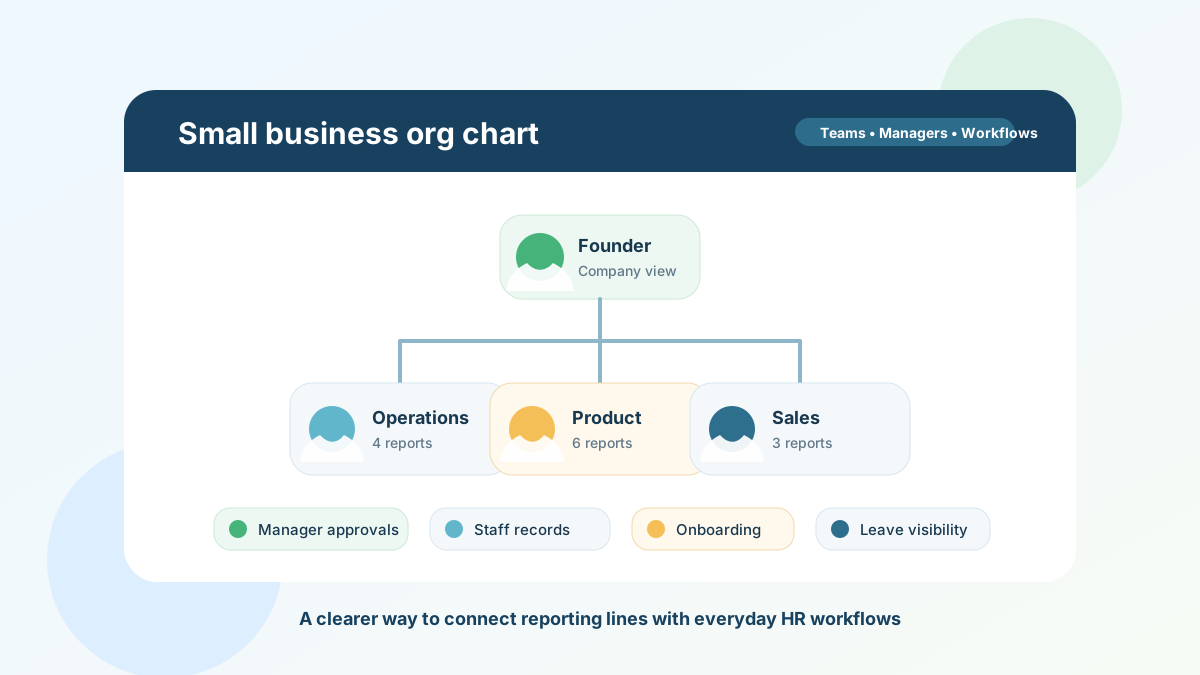
For small businesses, the best org chart software is not about building a corporate hierarchy for its own sake. It is about making reporting lines clear enough that employees know where they fit, managers can see the right people, and HR workflows such as leave, onboarding, staff records, and approvals do not depend on memory.
What is org chart software?
Org chart software helps a business map people, teams, and reporting relationships in a structured way.
A simple org chart usually shows:
- each employee’s name and role
- who manages whom
- team or department groupings
- vacant or changing roles, where relevant
- reporting lines across the business
In a small business, that may sound like something a spreadsheet can handle. Sometimes it can. But a spreadsheet is usually static. It can show a hierarchy, but it does not naturally connect that hierarchy to the employee record, manager permissions, leave approvals, onboarding ownership, or staff visibility.
That is the difference between a diagram and an operational org chart. A diagram helps people understand the company structure. An operational org chart helps the HR system understand it too.
Signs your spreadsheet org chart is starting to fail
You do not need dedicated software just because the team has grown by one person. But there are clear signs that an informal org chart is becoming a bottleneck.
Managers are not sure who they are responsible for
This is one of the earliest warning signs.
If managers need to ask operations who belongs to their team, which employees they can approve leave for, or whose onboarding they should check, the reporting structure is not clear enough.
That uncertainty creates small delays everywhere. Leave requests sit unanswered. New hires are routed to the wrong person. People ask founders or operations for basic team information because the manager relationship is not visible where work happens.
Staff records and reporting lines are stored separately
Many small businesses keep employee details in one file and reporting lines in another.
That works until one changes and the other does not. Someone updates the staff list but forgets the org chart. A manager changes but leave approvals still go to the old person. A new hire appears in onboarding notes but not in the team structure.
When employee records and reporting lines drift apart, the org chart becomes a decorative document instead of a useful source of truth.
Approvals depend on personal knowledge
Leave and expenses often expose weak reporting structures.
If an employee asks for time off, who should approve it? If a claim needs review, which manager should see it? If a manager is away, who knows what is pending?
A small team can answer those questions informally for a while. But as soon as the business adds layers, distributed teams, or multiple managers, approval responsibilities need to be explicit.
A connected leave management workflow and expense claim process should not rely on someone remembering the structure from a spreadsheet.
New hires cannot understand the team quickly
Onboarding is not only about documents and equipment. New employees also need to understand the organisation around them:
- who their manager is
- who is in their immediate team
- who owns related functions
- where to go for approvals or questions
- how their role fits into the wider business
If this information is scattered across welcome messages, outdated slides, and informal introductions, new hires spend unnecessary time piecing the business together.
An org chart gives onboarding context. It helps the employee understand the company faster and helps managers explain responsibilities consistently.
Founders and operations become the routing layer
In growing small businesses, one or two people often become the unofficial directory.
Everyone asks them who owns a task, who manages a person, who should approve something, or where a team sits. That is manageable for a short period, but it does not scale. It also creates a single point of failure: if the person with the context is on holiday, simple questions slow down.
A clear org chart reduces those interruptions by making structure visible to the people who need it.
What a useful small-business org chart should include
An org chart for a small business should be simple enough to maintain, but structured enough to support real workflows.
Clear manager relationships
The most important field is usually the manager relationship. Every employee should have a clear reporting line where possible. That does not mean every business needs a rigid hierarchy. It means the HR system should know who is responsible for day-to-day management, approvals, and visibility.
This matters for leave request review, expense approvals, team planning, onboarding ownership, and manager access to relevant staff information. If reporting lines are ambiguous, manager workflows become ambiguous too.
Current employee profile information
An org chart is more useful when it connects to live employee records.
At minimum, managers and administrators often need to see basic context such as name, role, team, start date, work contact details, and employment status. They may also need to know whether the employee has an onboarding record, leave settings, working hours, or relevant files attached to their profile.
That does not mean every org chart should expose sensitive details. It means the chart should point to a reliable employee record instead of becoming another place where staff information is copied and forgotten.
For a deeper look at this foundation, see our guide to employee records management for small businesses.
Team and group visibility
Small businesses often work in teams before they have formal departments.
A useful org chart should make those groups visible without forcing enterprise complexity. For example, a business may want to see engineering, operations, sales, customer success, or country-specific teams. Managers may also need to understand who belongs to their direct team versus the wider company.
Team visibility helps with planning. It makes it easier to answer questions such as:
- Who is available in this team next week?
- Which manager owns this group?
- Are too many people from the same team off at once?
- Where should a new hire sit in the structure?
Exportable and shareable structure
Sometimes the org chart needs to leave the screen. A founder may want to review structure in a planning meeting, or a manager may need a simple PDF for onboarding.
Exporting the chart is useful, as long as the live HR system remains the source of truth. The exported file should be a snapshot, not the place where the structure is maintained.
Sensible access controls
Org charts look harmless, but they still involve employee data.
A business should decide who can see the full company structure, who can see only their team, and who can edit reporting lines. Managers may need visibility into their own team. Administrators may need company-wide views. Employees may need enough context to understand the organisation without seeing restricted HR details.
The goal is not secrecy for its own sake. It is making sure visibility matches responsibility.
How org charts connect to everyday HR workflows
The biggest benefit of an operational org chart is that it does not sit apart from HR work. It supports the workflows employees and managers already use.
Leave management
Reporting lines affect leave approvals and team planning.
If a manager can see who reports to them, they can better review leave requests, understand overlapping absences, and plan cover. The org chart also helps admins make sure approval responsibilities are not attached to the wrong person.
Spot HR includes manager and admin views for leave balances, leave analytics, and team visibility. That makes the org structure useful beyond the chart itself because it connects to the leave workflow.
Onboarding
A new hire needs to know their manager and team quickly.
When onboarding is connected to the employee record, the org chart gives context to the checklist. It helps the business answer: who owns this person’s onboarding, which team are they joining, and which manager should follow up if something is missing?
Spot HR’s onboarding feature supports onboarding status and required document tracking against the employee record, which makes the reporting relationship more than a line on a diagram.
Employee records
The org chart should not duplicate employee data. It should connect to it.
That way, when an employee changes manager, team, or role, the update can be reflected in the same place managers use for staff information. This avoids the common problem of one spreadsheet saying one thing while another HR document says something else.
Expenses and approvals
Expense approvals are easier when responsibility is clear.
A manager reviewing expense claims needs to know whether the claim belongs in their scope. A connected structure helps keep review queues practical and reduces the chance that claims wait for the wrong person.
For small businesses that want to formalise this workflow, our guide on setting up an expense claim approval process covers the approval side in more detail.
A practical org chart checklist for small businesses
Use this checklist to review whether your current setup is strong enough.
Structure
- Every employee has a current manager where applicable
- Teams or groups are named consistently
- New hires are added to the structure during onboarding
- Leavers and role changes are updated promptly
- The chart reflects how the business actually works, not last year’s plan
Workflows
- Leave approvals follow the right manager relationship
- Expense approvals are routed to the right reviewer
- Managers can see the team information they need
- Onboarding owners are clear
- Staff records and reporting lines do not contradict each other
Access
- Admins know who can edit reporting lines
- Managers have appropriate visibility into their own teams
- Sensitive employee details are not exposed just because someone can view the chart
- Exported org charts are treated as snapshots, not live records
- The live HR system remains the source of truth
If several of these are hard to answer, your org chart may be too detached from the rest of your HR process.
When to move from a manual org chart to software
A manual org chart is fine when it is accurate, easy to update, and not connected to critical workflows.
Consider moving to org chart software when:
- the business has multiple managers or team leads
- employees often ask who owns what
- leave or expense approvals are routed manually
- onboarding depends on informal introductions
- staff records and reporting lines are updated in different places
- managers need clearer visibility into their teams
- you need a printable or exportable company structure
The trigger is not a specific headcount. It is friction. If unclear structure is slowing down approvals, onboarding, planning, or staff admin, the org chart should become part of the HR system.
How Spot HR supports clearer org structure
Spot HR is designed for startups, scaleups, and small businesses that want practical HR workflows without enterprise complexity.
For org structure and manager visibility, Spot HR supports:
- a hierarchical org chart for manager and employee relationships
- PDF export and in-app PDF preview for the org chart
- staff records with profile details, contact information, emergency contacts, avatars, onboarding progress, leave configuration, working hours, and files
- manager and administrator access to relevant staff, leave balance, leave analytics, and org chart views
- leave request workflows where employees can submit requests and managers or admins can approve or reject them
- expense claim workflows with manager review from action views
- onboarding status tracking and required document visibility
- optional Google Workspace or Microsoft Entra sign-in policies for workspaces that want stricter authentication
That combination keeps the org chart useful because it is connected to the work around it. The reporting line can inform manager visibility, onboarding context, leave planning, and approval responsibilities instead of living in a separate diagram.
If your current org chart is a spreadsheet that only one person remembers to update, explore the Spot HR features hub, review Spot HR for startups and scaleups, or sign up for Spot HR to make your HR structure easier to manage.
Final takeaway
Org chart software is not just for large companies. Small businesses need clear structure as soon as reporting lines affect day-to-day work.
A good org chart helps employees understand where they fit, helps managers see who they are responsible for, and helps HR workflows route work to the right people. The key is to keep it connected to employee records, onboarding, leave, expenses, and access controls.
If your org chart is accurate, maintained, and visible where people need it, keep it simple. If it is out of date, duplicated, or disconnected from approvals and staff records, it is time to move the structure into your HR system.