
 Spot HR
Public Holiday Management for Small Businesses: How to Keep Leave Planning Accurate
Posted July 22, 2026 by Spot HR ‐ 9 min read
Public holidays look simple until they start affecting leave balances, part-time schedules, payroll cut-offs, and manager planning. For small businesses, the goal is not a complex policy. It is a clear holiday calendar that keeps absence planning accurate.
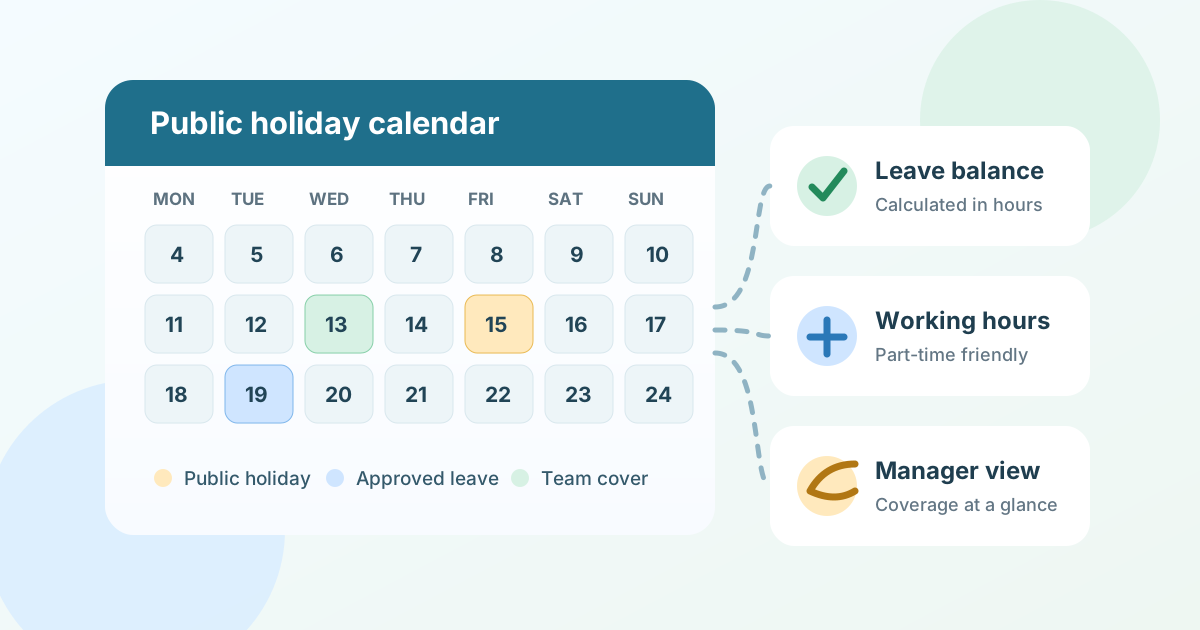
Public holidays are part of leave management, not a separate admin task
Public holidays are easy to underestimate.
In a very small team, everyone may know when the office is closed. Someone adds national holidays to a shared calendar, employees avoid those dates when booking time off, and managers handle exceptions manually.
That works for a while. Then the business hires part-time employees, opens in another country, adds remote workers, or starts approving leave through a more formal process. Suddenly public holidays are not just dates on a wall calendar. They affect how much leave someone uses, whether a request should be approved, who is available to cover work, and what managers see when planning the week.
For small businesses, good public holiday management means keeping holidays close to the leave workflow. Employees should not need to guess whether a bank holiday counts against their allowance. Managers should not need to manually cross-check public holidays before approving leave. Administrators should not have to rebuild the same calendar every year in a spreadsheet.
A public holiday process does not need to be complicated. It does need to be consistent.
What is public holiday management?
Public holiday management is the process of defining which official or company-wide holidays apply to employees and making sure those dates are reflected in leave planning.
A practical setup usually covers:
- national or regional public holidays
- company closure days
- optional holidays that apply to some countries or teams
- part-time working patterns
- leave balance calculations
- employee and manager visibility
- annual review and updates
The important point is that public holidays should not live only in a static calendar. If the business uses leave management software, holiday dates should be connected to leave requests, balances, and team availability.
For example, if an employee requests Monday to Friday off and Wednesday is a public holiday, the system should help the business understand whether that Wednesday uses leave allowance. If a manager is checking who is away next week, public holidays should be visible alongside approved leave so the staffing picture is accurate.
Why public holidays become messy in small businesses
Most public holiday problems do not appear because someone forgot about New Year’s Day. They appear because the edge cases multiply as the company grows.
Different countries or regions have different holidays
A startup with one office can usually maintain one holiday calendar. A remote-first or international team may need more.
Employees in the Netherlands, the United Kingdom, the United States, South Africa, Australia, Denmark, Norway, or Sweden may have different public holidays. Some holidays are national. Some depend on region. Some are observed differently when they fall on a weekend. Some are optional company days rather than statutory holidays.
If all of that is managed in one spreadsheet, administrators need to remember which dates apply to which employees every time a leave request is reviewed.
Part-time employees make manual calculations harder
Part-time schedules are one of the quickest ways to expose weak public holiday tracking.
If someone does not normally work on Mondays, what happens when a Monday public holiday appears? If another employee works four longer days instead of five standard days, how should the business handle leave balances? If holiday entitlements are tracked in hours rather than days, the calendar needs to work with the employee’s actual working pattern.
A simple calendar can show that a holiday exists. A connected leave workflow can help make sure the holiday is considered in the same place where working hours and leave balances are managed.
Managers approve leave without seeing the full calendar
Managers often review leave requests quickly. They look at the employee, dates, reason, and team cover. If public holidays are stored somewhere else, the manager may approve a request without realising the week already includes a company closure day or a country-specific holiday.
That can create small but frustrating problems:
- employees use the wrong amount of leave
- managers think someone is away for more working days than they are
- team coverage looks better or worse than reality
- operations has to correct balances later
- employees ask why their allowance changed
Public holidays should be visible where approvals happen, not only in an admin document.
Annual setup gets copied and forgotten
Many small businesses create a public holiday spreadsheet once and then copy it forward each year. That is understandable, but it is risky.
Dates change. Company policy changes. New countries are added. A holiday that was manually adjusted last year may be copied into the wrong year. A new starter may be assigned the wrong holiday profile because the spreadsheet was never designed to connect holidays to employee records.
A once-a-year admin task can become a source of year-round leave mistakes.
What a good public holiday process should include
Public holiday management should be lightweight, but it should answer the practical questions employees and managers actually ask.
A clear holiday profile for each employee
Every employee should have a clear answer to: which public holidays apply to me?
That may be simple for a single-country team. It may require country-specific holiday profiles for distributed teams. Either way, the answer should not depend on an employee remembering a policy document or a manager checking an old calendar invite.
The holiday profile should sit close to the employee record, working hours, and leave configuration. That makes it easier to keep changes consistent when someone moves country, changes working pattern, or joins a new team.
Leave balances that account for working days
Public holidays matter because they affect leave usage.
A useful leave process should account for working days, working hours, leave types, and public holidays together. Otherwise the business ends up manually adjusting balances after requests are submitted.
This is especially important when leave is tracked in hours, when employees have different working patterns, or when custom leave types are deductible or non-deductible. The more variation you allow, the more important it becomes to keep calculations in one workflow.
Manager visibility during approvals
Managers do not need to become public holiday administrators. They do need enough context to approve leave responsibly.
When reviewing a request, a manager should be able to understand:
- which dates are requested
- which working days are affected
- whether public holidays fall inside the date range
- whether other team members are already away
- whether the request creates a coverage problem
That context keeps approvals practical. It also reduces follow-up questions from employees about why a request used a certain amount of leave.
A repeatable annual review
Even with software, public holidays need review.
At the start of each year, or before opening leave bookings for the next year, administrators should check:
- which countries or regions the business supports
- whether company closure days have changed
- whether any optional holidays apply
- whether part-time employees have correct working patterns
- whether leave types and allowances still match policy
- whether employees are assigned to the right holiday profile
This review should be short. If it requires rebuilding a spreadsheet from scratch, the process is doing too much manual work.
Public holiday checklist for small businesses
Use this checklist to review whether your current setup is strong enough.
Holiday calendar setup
- Public holidays are stored in one reliable place
- The calendar is updated before employees book leave for the year
- Country or region differences are handled deliberately
- Company closure days are clearly marked
- Old copied calendars are not used as the source of truth
Employee and working-hour settings
- Each employee has the correct holiday profile
- Part-time working patterns are recorded accurately
- Leave is calculated against working days or hours consistently
- Custom leave types are clear about whether they reduce balances
- Changes to working hours are reflected in future leave planning
Manager and employee visibility
- Employees can understand how holidays affect their leave requests
- Managers can see holidays when reviewing time off
- Team availability includes both leave and public holidays
- Admins do not need to manually correct balances after every edge case
- The process works for new starters, leavers, and country changes
If several of these are difficult to answer, public holidays are probably being handled too separately from leave management.
When spreadsheets are enough, and when they are not
A spreadsheet can be enough when the business is very small, everyone works the same pattern, and public holidays are simple. There is no need to over-engineer a process that is working.
But consider moving public holidays into HR software when:
- employees work different hours or part-time schedules
- the business operates across multiple countries or regions
- managers approve leave without checking a separate calendar
- leave balances need frequent manual corrections
- public holidays affect team coverage planning
- employees often ask whether a holiday counts against allowance
- administrators copy holiday calendars forward every year
The trigger is not headcount alone. It is whether the current process creates uncertainty. If public holidays affect leave balances and manager decisions, they should be managed in the same workflow as leave.
How Spot HR supports public holiday management
Spot HR is designed for startups, scaleups, and small businesses that want practical HR workflows without enterprise complexity.
For public holidays and leave planning, Spot HR supports:
- central public holiday management for organisations
- built-in holiday profiles for the Netherlands, United Kingdom, United States, South Africa, Australia, Denmark, Norway, and Sweden
- Netherlands-specific public holiday options for Good Friday and Liberation Day cadence
- leave requests with date ranges, leave types, reasons, approvals, rejections, edits, and cancellations
- leave remaining balances shown in hours
- working-hours configuration at organisation and employee level
- custom leave types and annual allowances
- manager and administrator views for leave balances and leave analytics
- dashboard visibility for upcoming events, birthdays, and team leave
- feature toggles so organisations can enable or disable Leave as needed
That combination keeps public holidays connected to the work they affect. Holidays are not only listed in an admin calendar. They can sit alongside leave requests, balances, working hours, and manager visibility.
If public holidays are currently maintained in a spreadsheet, start by improving the leave workflow around them. Explore Spot HR’s leave management feature, compare leave management for small teams, or sign up for Spot HR to bring public holidays and leave planning into one place.
Final takeaway
Public holiday management is not about making small-business HR more bureaucratic. It is about avoiding avoidable confusion.
When holidays are disconnected from leave requests, working hours, and manager approvals, small mistakes become common: balances need correcting, employees ask for clarification, and managers plan cover from incomplete information.
A clear public holiday process gives everyone the same calendar, connects that calendar to leave planning, and keeps annual setup manageable. If your current process already does that, keep it simple. If it depends on copied spreadsheets and manual corrections, it is time to make public holidays part of your leave management workflow.