
 Spot HR
SSO for Small Businesses: When to Use Google Workspace or Microsoft Entra for HR Software
Posted July 29, 2026 by Spot HR ‐ 10 min read
Single sign-on can make HR software easier to access and easier to manage, but only when the setup matches how your team already works. For small businesses, the aim is not a bigger security project. It is a clear, dependable way for the right people to reach the right HR tools.
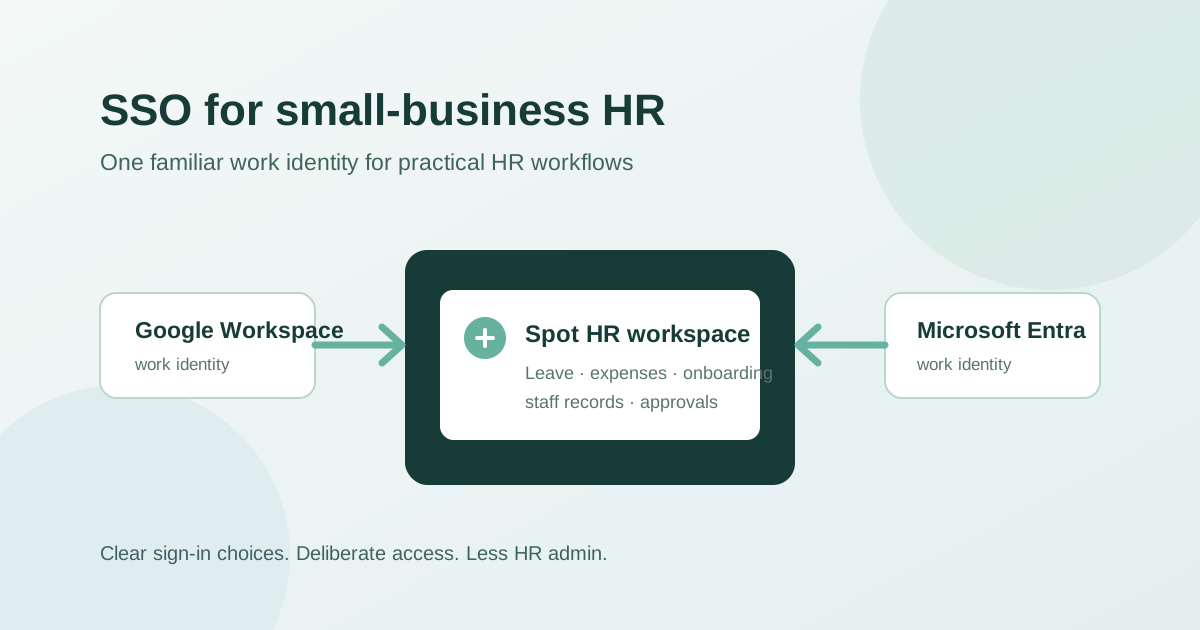
SSO is a practical HR decision, not just an IT acronym
Single sign-on, usually called SSO, lets people use an existing work identity to sign in to another service. Instead of creating and remembering a separate password for every HR tool, an employee may use the Google Workspace or Microsoft account they already use for work.
For a small business, that can sound like something to consider later. In the earliest days, a shared password manager and a short staff list may be enough. But HR software quickly becomes a place where people handle leave requests, expense claims, onboarding tasks, staff details, and company documents. The question is no longer only whether a login is convenient. It is whether access stays understandable as employees join, change roles, and leave.
The right SSO setup should reduce friction without making everyday work harder. It should help people reach their HR workspace with a familiar account, while giving the business a clear policy for who can sign in and how that policy is managed.
What is single sign-on for HR software?
With SSO, an employee authenticates through an identity provider the business already trusts. In small teams, that is often Google Workspace or Microsoft Entra. The HR application uses that sign-in to confirm the employee’s identity rather than asking them to maintain another standalone password.
A practical SSO experience often means:
- employees sign in with the work account they already use
- the business can set a consistent sign-in route for a workspace
- new starters have one less separate password to learn
- managers and administrators can keep HR access closer to the company’s normal account process
- employees are less likely to use personal or forgotten credentials for a work system
SSO does not replace good HR administration. A sign-in method cannot fix an out-of-date staff record, unclear manager relationship, or missing onboarding task. It is most useful when it supports a process that is already becoming more structured.
When should a small business consider SSO?
There is no magic headcount. The useful trigger is operational friction.
A team of six that uses one consistent Google Workspace or Microsoft environment may benefit sooner than a team of 30 that still has mixed personal accounts. Start by looking at how employees actually work rather than treating SSO as a checkbox.
Your team already relies on Google Workspace or Microsoft
If your business uses company-managed Google or Microsoft accounts every day, using the same identity for HR software can be a natural next step. Employees already understand which email address is for work. Administrators already have a familiar place to manage the organisation’s core accounts.
This is especially helpful when HR work is occasional. Someone may only open the HR system to request leave, check a balance, submit an expense claim, or complete an onboarding item. A familiar sign-in route reduces the chance that they cannot find an old password at the moment they need it.
You are hiring more regularly
Each new hire adds a small access checklist: email, work tools, HR profile, onboarding tasks, and the systems they need on day one. Separate application passwords make that checklist longer and easier to miss.
SSO will not make onboarding automatic, but it can simplify one part of it. Pair it with a clear onboarding process that records the employee, their manager, their working pattern, and required documents. Our guide on how to onboard a new employee in a small business explains how to make that wider process repeatable.
You need a clearer offboarding routine
Access questions tend to become urgent when someone leaves. Which accounts are still active? Which tools use a separate password? Who knows the credentials?
A business should have an offboarding checklist regardless of sign-in method. But keeping HR access aligned with the company’s work identity makes the checklist easier to reason about. It reduces the number of standalone credentials that have to be tracked across spreadsheets, inboxes, and password managers.
You want to set an explicit workspace policy
Some teams prefer flexible sign-in because employees use different routes or because the business is still establishing its identity setup. Others want the workspace to require Google Workspace or Microsoft Entra sign-in.
Neither choice is automatically better. The important thing is to make the choice deliberately, document it, and make sure it fits the accounts that your staff actually have.
SSO versus separate passwords: the practical trade-off
Small businesses do not need to replace every password immediately. Separate passwords can be a reasonable starting point when a team is tiny, the tool is low risk, and access is simple.
The downside appears as the list of tools grows. Employees have more credentials to remember. Administrators have more account routes to check. A new starter may receive invitations to several systems before they understand which account to use. A leaver may be removed from the company directory but still have a separate application password to deal with.
SSO can reduce that sprawl, but it also creates a dependency on the identity provider and on good account administration there. If the business does not consistently create work accounts, keeps outdated accounts active, or has employees using several email addresses interchangeably, SSO will expose those process gaps rather than hide them.
That is useful information. Fixing the identity process first is usually better than adding another workaround in the HR system.
How to prepare for an SSO rollout
A small-business rollout should be short and practical. The goal is to avoid surprising employees or locking out the people who need to administer the workspace.
1. Map the accounts employees actually use
Before choosing a policy, list the current work identities.
Check:
- whether employees have company-managed Google Workspace or Microsoft accounts
- whether their email addresses in HR records match those accounts
- whether contractors, founders, or managers have exceptions
- whether people belong to more than one workspace
- who can manage the identity provider and the HR workspace
This is also a good time to tidy the employee record. A reliable profile should include current contact information, manager, team, working hours, and the HR settings that affect day-to-day work. Read our employee records management guide for a practical starting structure.
2. Decide whether flexibility or enforcement fits your team
A flexible sign-in policy can be useful while a business is transitioning accounts or supports different provider choices. A required-provider policy may be better when all employees use one managed environment and the business wants a consistent route into the workspace.
Write down the answer to these questions:
- Which provider should employees use?
- Who is allowed to approve an exception?
- What happens if a new starter does not yet have the required account?
- Which administrators can change the policy?
- How will employees be told about the change?
A policy is only useful if it works on an employee’s first day and during a manager’s busy week.
3. Test with a small group first
Test sign-in with an administrator and a few representative employees before making a workspace-wide change. Include a manager who approves requests, an employee who submits leave or expenses, and anyone with an unusual account arrangement.
Confirm that each person can reach the right workspace and that the right HR permissions still apply after sign-in. Authentication establishes identity; it should not be confused with role permissions. For example, managers may need access to the staff and approval views relevant to their team, while administrative settings should remain restricted.
4. Give employees one clear instruction
Do not send a long technical announcement. A short message is usually enough:
- which account to use
- where to sign in
- what will change, if anything
- who internally owns access questions
- what to do if their work email does not match their HR profile
The aim is to prevent employees from trying personal accounts, creating duplicate access paths, or assuming a sign-in problem is an HR policy problem.
5. Keep a recovery path for real-world exceptions
Even well-run small businesses have exceptions: an account is being created, a contractor has a different setup, or a manager changes organisation. Decide who checks the account record, who can update the workspace policy, and how access is restored without sharing credentials informally.
That process should be owned by a named administrator, not by a vague assumption that someone in the team will know what to do.
Common SSO mistakes to avoid
SSO is most effective when it simplifies the process. Avoid turning it into a project that creates new uncertainty.
Forcing a provider before everyone can use it
Do not require Google Workspace or Microsoft Entra sign-in until you know affected employees have the right work accounts. Test the policy with real accounts and make the change at a sensible time, not during a busy payroll, onboarding, or leave period.
Treating SSO as the whole security plan
SSO is one access decision, not a complete security programme. It should sit alongside sensible account management, deliberate HR permissions, a clear offboarding routine, and appropriate handling of employee files.
For example, an employee signing in successfully does not mean they should automatically be able to change company-wide leave allowances, billing settings, or other administrative controls.
Mixing personal and work identities without a rule
A small team can accidentally accumulate several ways to identify the same person: a personal email in a spreadsheet, a work email in the directory, and another address in an application. Agree which address is the source of truth and update records when it changes.
Forgetting the manager experience
Managers may use HR software differently from employees. They need to review leave requests, see relevant staff information, and handle approvals without being blocked by a confusing sign-in change. Include them in testing and communications.
How Spot HR supports practical workspace sign-in
Spot HR is designed for startups, scaleups, and small businesses that want useful HR workflows without unnecessary enterprise complexity.
For sign-in, Spot HR supports Google and Microsoft entry points alongside a workspace password flow. By default, workspace access is flexible and email-linked, so users can use the available sign-in route for their workspace. Organisations can also choose an authentication policy that requires Google Workspace or Microsoft Entra sign-in for direct workspace access.
That sign-in choice sits alongside practical HR features, including:
- staff profiles, employee search, and manager relationships
- onboarding status, tasks, and required-document tracking
- leave management with employee requests and manager or administrator review
- expense claims with drafts, receipts, and approval workflows
- role-based access to administrative screens and manager views
- per-user files and organisation files
- an org chart, leave balances, and leave analytics for the appropriate roles
The goal is not to make every small business enforce the same provider. It is to let the workspace use a sign-in policy that matches how the team works while keeping HR tasks connected to reliable staff information.
If your team is ready to replace scattered HR logins and spreadsheets with a more connected process, explore the Spot HR features hub, review Spot HR for startups and scaleups, or sign up for Spot HR.
Final takeaway
SSO is worth considering when separate HR passwords are becoming another source of onboarding, access, or offboarding work. For a small business, the best setup is not necessarily the most restrictive one. It is the one employees can use reliably and administrators can manage clearly.
Start with the accounts your team already uses, decide whether flexible access or a required provider makes sense, test with real employees, and communicate the change simply. When sign-in is connected to accurate staff records and clear role permissions, it supports the HR workflow instead of becoming another admin task.